Problem
AI translation needs comic-specific structure
Comic pages mix art, dialogue, captions, signs, and reading order. A generic AI chat can help with text, but it does not manage the page workflow for you.
 Comics Translate
Buy License
Comics Translate
Buy License
Translate comics with AI
Comics Translate turns AI translation into a usable comic reading workflow, not just a one-off prompt.
Problem
Comic pages mix art, dialogue, captions, signs, and reading order. A generic AI chat can help with text, but it does not manage the page workflow for you.
Solution
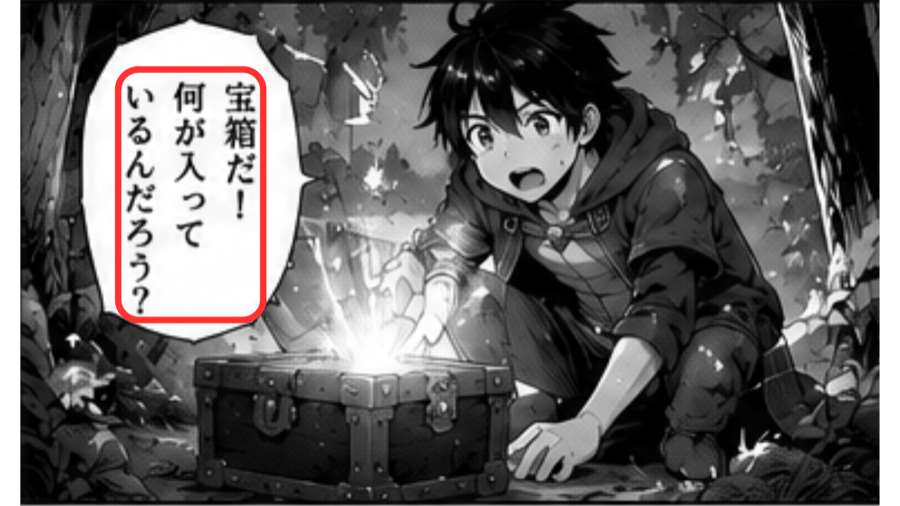
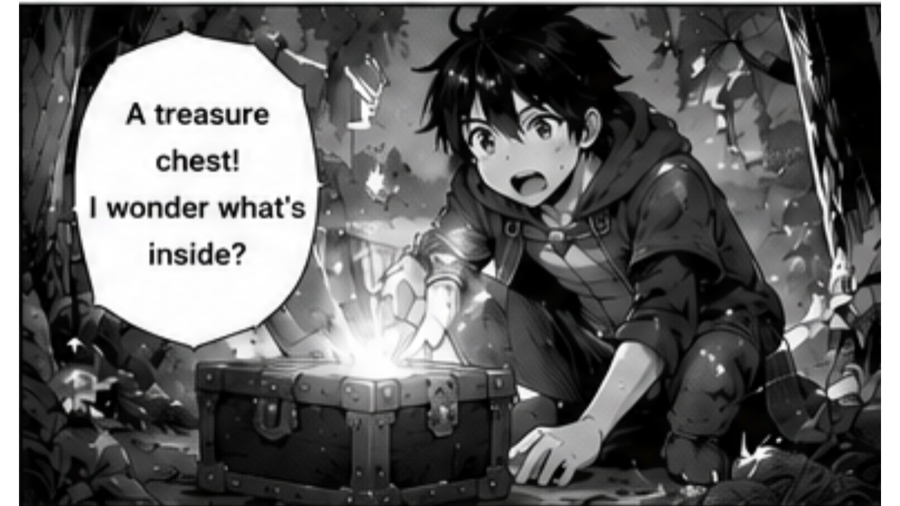
Import a URL or image pages, detect text, translate with your own Gemini API key, repair difficult spots, and read rendered pages in the app.
Workflow
Paste a manga website URL or upload PNG, JPG, and WebP images.
OCR reads text areas from speech bubbles and page artwork.
Gemini AI translates dialogue using your own API key.
The app renders translated text back onto the page for Reader View.
Highlights
Questions
AI can translate the detected text from comic images. Comics Translate handles the page workflow around that translation.
No. You use your own Gemini API key, so API limits and charges are controlled by Google.
Yes. You can upload PNG, JPG, and WebP pages, or try importing a manga website URL.
It is for readers, translators, reviewers, and makers who want a faster way to understand manga or comic pages on macOS.