Problem
Speech bubbles need context
A single page can split one conversation across bubbles, panels, and small text. Translating each fragment alone can make dialogue sound flat or confusing.
 Comics Translate
Buy License
Comics Translate
Buy License
Speech bubble translator
Speech bubbles are where most manga meaning lives, and Comics Translate is shaped around turning those bubbles into readable translated dialogue.
Problem
A single page can split one conversation across bubbles, panels, and small text. Translating each fragment alone can make dialogue sound flat or confusing.
Solution
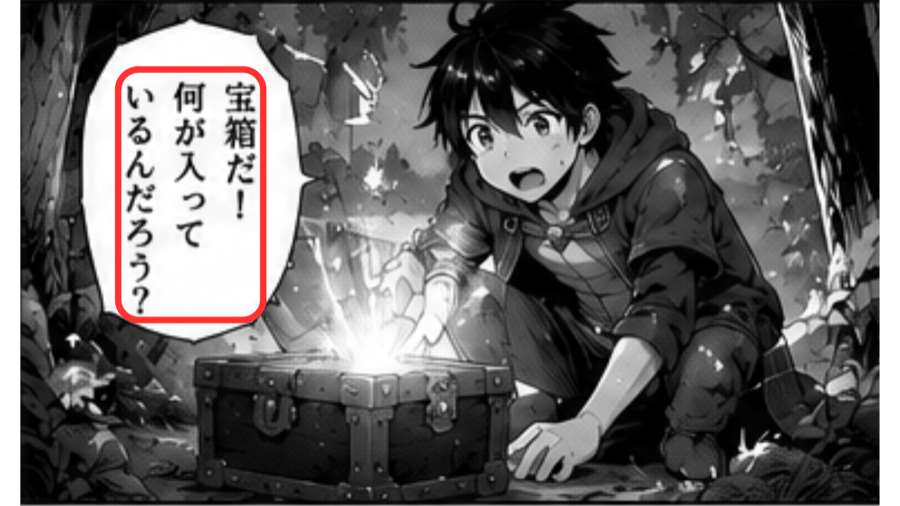
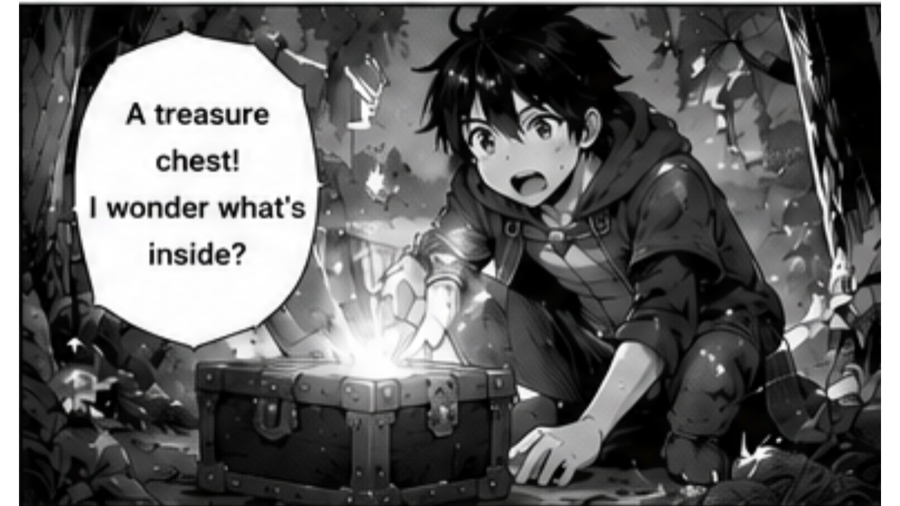
Comics Translate helps prepare nearby page text for AI translation, then lets you fix selected areas and render the translated dialogue back onto the image.
Workflow
Paste a manga website URL or upload PNG, JPG, and WebP images.
OCR reads text areas from speech bubbles and page artwork.
Gemini AI translates dialogue using your own API key.
The app renders translated text back onto the page for Reader View.
Highlights
Questions
Yes. The app detects page text, translates dialogue, and renders translated text back onto the manga page.
Yes. Selected area tools help you focus on a difficult part of the page instead of reworking everything manually.
The workflow is designed to render translated text while keeping the page readable and close to the original reading experience.
No. The workflow can help with manga and comic pages in different source languages, depending on text detection and AI translation quality.