Problem
Manga translation is more than changing words
A manga page has speech bubbles, sound effects, panel context, and text that can be split across many OCR lines. A normal translation prompt often loses that structure.
 Comics Translate
Buy License
Comics Translate
Buy License
AI manga translator
Comics Translate helps readers turn manga pages into translated pages they can actually read, without rebuilding every page by hand.
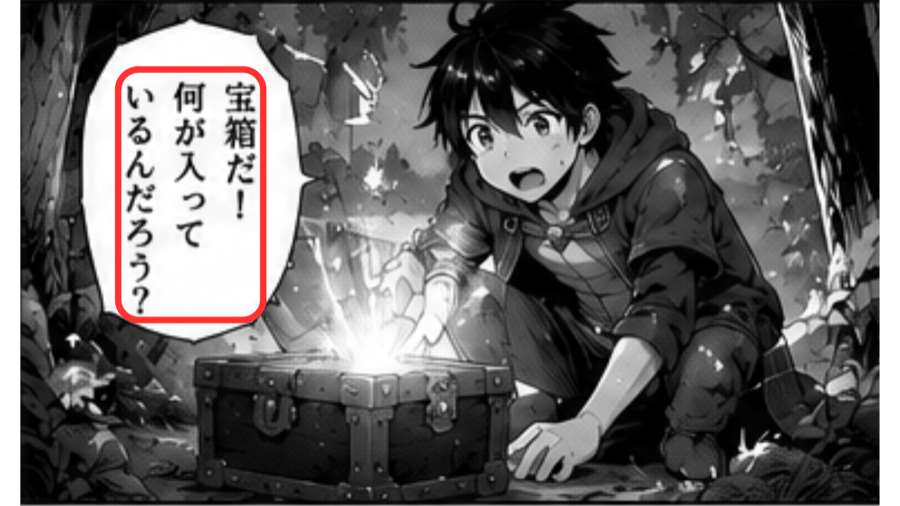
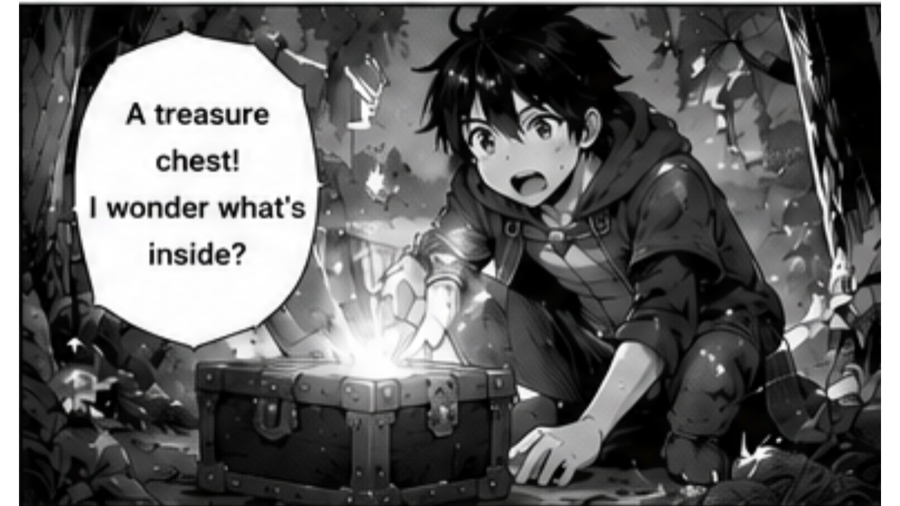
Problem
A manga page has speech bubbles, sound effects, panel context, and text that can be split across many OCR lines. A normal translation prompt often loses that structure.
Solution
The app prepares pages, reads text with OCR, sends clean context to Gemini AI, and renders translated text back onto the page for a smooth reading flow.
Workflow
Paste a manga website URL or upload PNG, JPG, and WebP images.
OCR reads text areas from speech bubbles and page artwork.
Gemini AI translates dialogue using your own API key.
The app renders translated text back onto the page for Reader View.
Highlights
Questions
An AI manga translator helps read text from manga pages, translate the dialogue with AI, and prepare a readable translated result.
The app reads page text first, then uses Gemini AI for translation, and finally renders the translated text back onto the page.
Yes. Comics Translate uses your own Gemini API key, so AI usage follows your Google account quota and terms.
Yes. Text detection and AI translation can still make mistakes, so Comics Translate includes tools such as Repair Page and selected area fixes for difficult areas.