Problem
Comic text is not plain document text
Dialogue can sit inside bubbles, captions, signs, and small panel details. Copying everything by hand slows the reading workflow down.
 Comics Translate
Buy License
Comics Translate
Buy License
Comic OCR translator
Comic pages are visual, so translation starts with recognizing page text without breaking the reading flow.
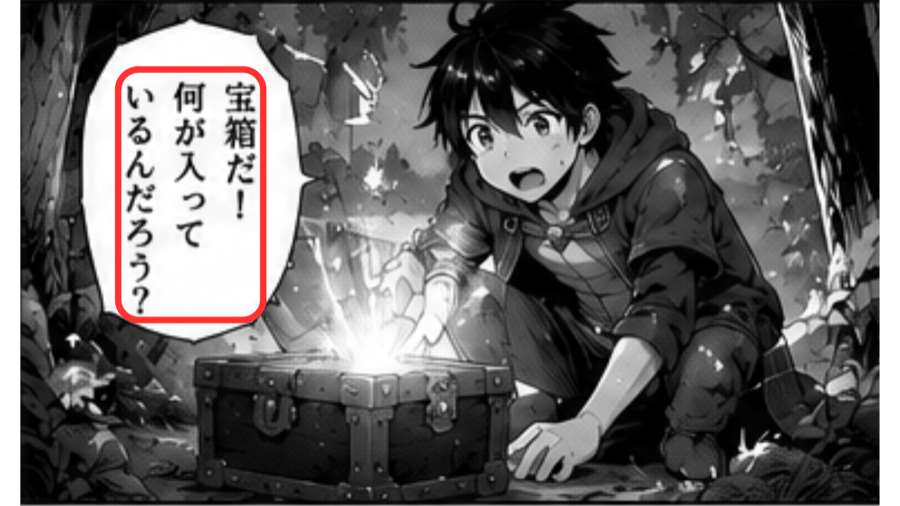
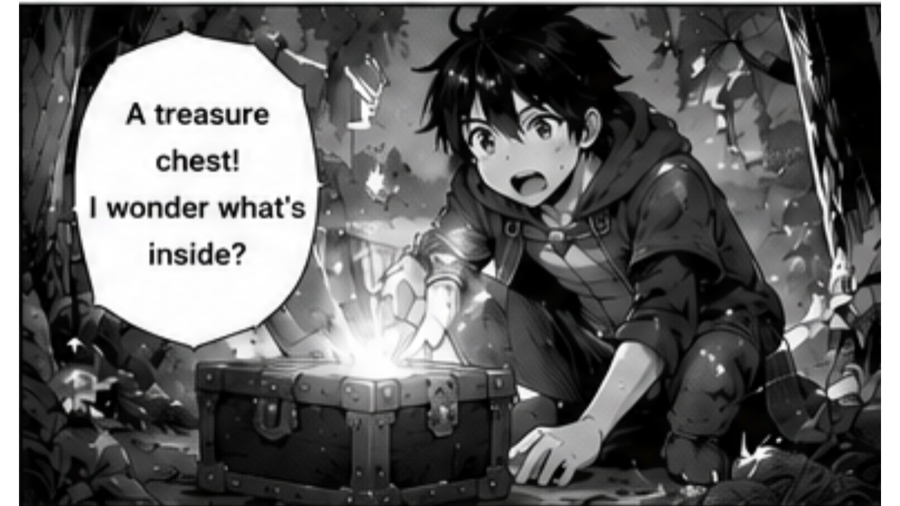
Problem
Dialogue can sit inside bubbles, captions, signs, and small panel details. Copying everything by hand slows the reading workflow down.
Solution
Comics Translate detects page text, translates dialogue with Gemini AI, and renders translated text back onto the page for a smoother result.
Workflow
Paste a manga website URL or upload PNG, JPG, and WebP images.
OCR reads text areas from speech bubbles and page artwork.
Gemini AI translates dialogue using your own API key.
The app renders translated text back onto the page for Reader View.
Highlights
Questions
It is a workflow that detects text from comic page images, translates it, and prepares a readable translated result.
Yes. The app is designed for manga-style pages and comic page images.
The app renders translated text back onto the page so you can read the result in Reader View.
Yes. Difficult pages can still need review, which is why Comics Translate includes repair and selected area tools.